QuickBooks Online · Advanced
QuickBooks Online Advanced: the capabilities you're paying for.
QuickBooks Online Advanced is the top QBO tier — the real question isn't the price, it's whether you'll use what it adds over Plus. This hub gives an honest, capability-by-capability read on whether you actually need it, or whether Plus is plenty.
Bookkeeping & advisory · Honest read: many businesses are fine on Plus
Certifications
Current certifications held by TechBrot’s founder, who reviews every engagement: QuickBooks Online Level 2 and QuickBooks Payroll — verification on request. Intuit’s ProAdvisor program becomes ProPartner Accountants in early 2027; the certifications continue.
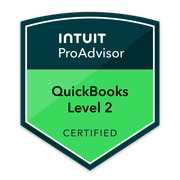
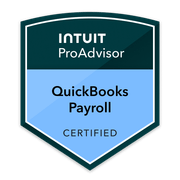
All 10 QuickBooks Online Advanced capabilities — and whether you need them.
QuickBooks Online Advanced is the highest QBO tier, and these 10 capabilities are what you’re paying the extra for over Plus: the custom report builder, Spreadsheet Sync, workflow automation, custom user roles, batch transactions, revenue recognition, fixed asset accounting, employee expense management, online backup & restore, and the performance center. This hub explains what each one does and — just as importantly — whether you actually need it. We won’t oversell Advanced: it earns its price only if your volume, users, reporting, or controls have outgrown Plus, and many businesses are perfectly served by Plus. As TechBrot — not Intuit — we don’t set Advanced pricing and we don’t guess at it; we assess fit by capability and, when Advanced is the right call, configure the features in your file. Revenue recognition and fixed asset accounting touch GAAP and tax, so we coordinate those with your CPA.
Reference maintained by TechBrot Inc. QuickBooks Online Advanced feature and pricing availability are set by Intuit and reflect the product as of the review date.
Seeing more than Plus can show you.
The reporting depth that is the most common reason to move up to Advanced.
Custom report builder
Build reports beyond QBO’s standard set — pick the fields, group and subtotal, filter, and visualize with custom charts. The headline reason most businesses consider Advanced; worth it only if the canned reports genuinely don’t answer your question.
Custom report builder →Spreadsheet Sync
Push and pull QBO data to and from Excel and build reports there, then write changes back — useful if your team lives in spreadsheets, redundant if QBO’s own reports already do the job.
Spreadsheet Sync →Performance center
A customizable dashboard of charts and KPIs built on your QBO data — a quick read on where the business stands. Only as useful as the underlying data is clean.
Performance center →Doing more, faster.
Capabilities that pay off when transaction or task volume has outgrown Plus.
Batch transactions
Enter, edit, or send invoices, bills, and expenses in bulk instead of one at a time — a real time-saver at high volume, and largely irrelevant at low volume.
Batch transactions →Workflow automation
Trigger reminders, approvals, and routine actions automatically by rule — reduces manual chasing, but bad rules automate mistakes, so they need setting up with care.
Workflow automation →Employee expense management
Let employees submit expenses for review and approval inside QBO — useful once you have a team spending company money, overkill for an owner-operator.
Expense management →Tighter control of the file.
More users, finer permissions, and a safety net — the case for Advanced when more people touch the books.
Custom user roles
Define exactly what each user can see and do, beyond QBO’s standard roles — the reason to move up when several people work in the file and you need real separation of duties.
Custom user roles →Online backup & restore
Automatic backups of your QBO company with point-in-time restore — a safety net against bad imports or deletions. Reassuring, but not a substitute for careful bookkeeping.
Backup & restore →GAAP-grade accounting features.
Powerful, and the two that most need professional judgment — we coordinate these with your CPA for GAAP and tax.
Revenue recognition
Recognize revenue over time per a schedule rather than all at once — relevant for subscriptions, contracts, and deferred revenue. The rules are GAAP territory, so we set this up in coordination with your CPA.
Revenue recognition →Fixed asset accounting
Track fixed assets and depreciation inside QBO instead of a side spreadsheet — the depreciation method and schedule have tax and GAAP consequences, so we coordinate this with your CPA.
Fixed asset accounting →QuickBooks Online Advanced questions.
What is QuickBooks Online Advanced?
Do I need Advanced or is Plus enough?
Is Advanced worth the cost?
Are you Intuit?
Do you set up Advanced features for me?
Should I upgrade to Advanced just for the reports?
Decide with your real file
We'll tell you honestly whether Advanced is worth it for you.
Get a free QuickBooks file review or book a discovery call. We'll look at your volume, users, reporting, and controls against what Advanced actually adds — and tell you whether to upgrade or stay on Plus. If Advanced is the right fit, we set the features up in your file. No pitch.
Tell us what’s wrong with the books. We’ll tell you whether cleanup, catch-up or monthly bookkeeping fits.
Call (877) 751-5575. If we miss you, we return your call within one business day. Written fixed-fee scope within 3 business days. No hourly billing.