QuickBooks Online · Features
Every QuickBooks Online feature, explained by a ProAdvisor-led team.
Every QuickBooks Online feature, explained by a QuickBooks ProAdvisor — and how we set each one up in your file. This hub routes to a plain-English page for all 20 core QBO features, what each does, and which plan it needs.
Bookkeeping & advisory · We configure each feature in your file
Certifications
Current certifications held by TechBrot’s founder, who reviews every engagement: QuickBooks Online Level 2 and QuickBooks Payroll — verification on request. Intuit’s ProAdvisor program becomes ProPartner Accountants in early 2027; the certifications continue.
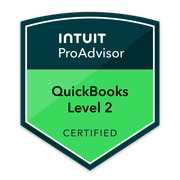
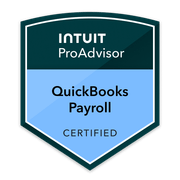
All 20 QuickBooks Online features, explained.
QuickBooks Online has dozens of features, but most businesses only need a clear answer to two questions: what does each feature actually do, and do I have it? This hub answers both — a plain-English page for all 20 core QuickBooks Online features, grouped by how the work actually flows (money in, money out, banking, structure, work & projects, planning & reporting). Which features you have depends on your plan — Simple Start, Essentials, Plus, or Advanced — and some (inventory, classes, projects, budgeting) need Plus or Advanced. As TechBrot — not Intuit — we don’t sell QuickBooks; we configure and optimize these features in your file so the books stay accurate. Not sure which plan fits? See which QuickBooks plan is right.
Getting paid.
Billing customers and tracking what they owe you.
Invoices
Create and send branded invoices, set terms, send recurring invoices, accept online payment, and track each one from sent to viewed to paid — QBO records the revenue and receivable automatically.
QBO invoices →Estimates
Build quotes for customers, track which were accepted, and convert an accepted estimate straight into an invoice without re-keying the line items.
QBO estimates →Customers
The customer list that anchors your accounts-receivable — contact records, billing terms, sub-customers, statements, and the AR aging that shows who owes what.
QBO customers →Sales tax
QBO’s automated sales-tax engine calculates rates by address and tracks what you owe — but it only works if products, customers, and nexus are set up correctly first.
QBO sales tax →Paying the business.
Tracking what you owe and what you spend.
Bills (A/P)
Enter vendor bills, track due dates, and pay them — QBO records the accounts-payable balance so you see what’s owed and when, instead of paying from memory.
QBO bills →Expenses
Record and categorize what you spend — cash, card, and check purchases — with receipts attached, so the books reflect real costs and deductions stay defensible.
QBO expenses →Connecting and matching the bank.
The engine that keeps the books tied to reality.
Bank feeds
Connect bank and credit-card accounts so transactions flow into QBO automatically — the starting point, not the finish line; downloaded transactions still have to be reviewed and matched.
QBO bank feeds →Bank rules
Auto-categorize recurring transactions from the bank feed by rule — a real time-saver, but bad rules quietly miscode the books, so they need setting up with care.
QBO bank rules →Reconciliation
Match QBO to your bank and credit-card statements every month so the balances are proven, not assumed. The single most important monthly habit — and the one most often skipped.
QBO reconciliation →How the file is organized.
The structure everything else is recorded against.
Chart of accounts
The backbone of the file — the list of accounts every transaction is coded to. Get this right and reports work; get it wrong and cleanup is inevitable.
Chart of accounts →Products & services
The items you sell, mapped to income (and inventory) accounts — what makes invoices, estimates, and sales-tax automation actually work correctly.
Products & services →Inventory
Track stock quantities and value with QBO’s FIFO inventory — available on Plus and Advanced. Useful for product businesses; not a fit for everyone.
QBO inventory →Classes
Tag transactions by segment — location, department, fund, property — for profit-and-loss by class. Plus and Advanced only, and only useful if applied consistently.
QBO classes →Custom fields
Add your own fields to forms and records to capture data QBO doesn’t track by default. Limited on lower plans; far more flexible on Advanced.
QBO custom fields →Job costing and payroll.
Tracking profitability by job and paying your team.
Projects
See income, costs, and profitability per job — the closest thing QBO has to job costing. Available on Plus and Advanced.
QBO projects →Time tracking
Log billable and payroll hours against customers and projects — built in on QBO, with deeper tracking through QuickBooks Time on higher tiers.
QBO time tracking →Payroll
QuickBooks Payroll is a separate paid add-on from Intuit that runs payroll and files payroll taxes inside QBO. We explain how it works and where setup goes wrong — we are not Intuit.
QBO payroll →Seeing where you stand.
Turning the data into decisions.
Reports
Profit and loss, balance sheet, AR/AP aging, and more — QBO’s reports are only as accurate as the data feeding them, which is why setup and reconciliation come first.
QBO reports →Budgeting
Build a budget in QBO and compare actuals against it month by month. Available on Plus and Advanced — useful once the chart of accounts is clean.
QBO budgeting →Cash flow planner
QBO’s forward-looking cash-flow view projects money in and out over the coming weeks — a planning tool, not a guarantee, and only as good as the underlying data.
Cash flow planner →QuickBooks Online features questions.
What QuickBooks Online features do you help with?
Do I have all these features?
Are you Intuit?
Which plan do I need?
Do you set these up for me?
Where do I start?
Start with your real file
We'll set up the features your books actually need.
Get a free QuickBooks file review or book a discovery call. We'll look at how your QBO file is configured against the features your business needs, and show you exactly where setup or cleanup will help. No pitch.
Tell us what’s wrong with the books. We’ll tell you whether cleanup, catch-up or monthly bookkeeping fits.
Call (877) 751-5575. If we miss you, we return your call within one business day. Written fixed-fee scope within 3 business days. No hourly billing.