QuickBooks Online vs Xero. A fair comparison.
Both QuickBooks Online and Xero are excellent double-entry cloud accounting platforms, and the right choice isn’t about which one is “better” in the abstract — it’s about ecosystem, who supports you, and which integrations you need. We’re led by TechBrot’s founder, so we have a clear preference and we’ll say so — but where Xero is genuinely the better fit, we say that too.
QuickBooks Online and Xero are both first-class cloud accounting platforms — double-entry, bank-connected, app-extensible. The honest difference for U.S. buyers is often ecosystem. QuickBooks Online fits when your accountant or bookkeeper works in QuickBooks and your U.S. payroll, sales-tax and other apps connect to it — check both. Xero says every plan includes unlimited users (each QuickBooks Online plan includes 1, 3, 5 or 25 users, per Intuit’s pricing page, read September 26, 2026), has a clean interface some people prefer, strong bank reconciliation, and says it leads cloud accounting in New Zealand, Australia and the U.K. We’re led by TechBrot’s founder, so we lean QuickBooks — but if you need unlimited users, love Xero’s UI, or operate globally, Xero may be the better call.
Xero pricing changes; for current Xero plan prices, defer to Xero directly.
Certifications
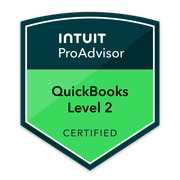
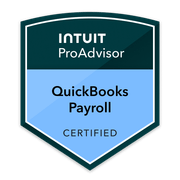
Current certifications held by TechBrot’s founder, who reviews every engagement: QuickBooks Online Level 2 and QuickBooks Payroll — verification on request. Intuit’s ProAdvisor program becomes ProPartner Accountants in early 2027; the certifications continue.
The honest summary.
Let’s be upfront: we’re a firm led by a QuickBooks ProAdvisor, so we have a clear preference for QuickBooks. That preference is real, and we’ll defend it — but it isn’t the whole story, and a fair comparison has to start by saying that Xero is an excellent platform. Both QuickBooks Online and Xero are mature, double-entry, bank-connected cloud accounting systems; neither is a toy, and you can run a serious company on either one. For a U.S. buyer the practical difference often comes down to ecosystem: which platform your accountant or bookkeeper works in, and which platform your U.S. payroll, sales-tax and other apps connect to — check both before you choose. Xero’s genuine advantages are real too: Xero says every plan includes unlimited users (each QuickBooks Online plan includes a set number of users — 1, 3, 5 or 25, per Intuit’s pricing page, read September 26, 2026), it has a clean interface some people prefer, strong bank reconciliation, and Xero says it leads cloud accounting in New Zealand, Australia and the U.K. So the practical decision isn’t “which platform is better” in the abstract — it’s which one fits your team size, your integrations, and the people who support your books. We lean QuickBooks; if you need unlimited users, love the Xero interface, or operate globally, Xero may well be the better call — and we’ll tell you so.
QuickBooks Online vs Xero, in five questions.
Which is better, QuickBooks Online or Xero?
Neither is universally “better” — both are excellent double-entry cloud accounting platforms. For a U.S. business the deciding factor is often ecosystem: which platform your accountant works in and which integrations you need. Xero says every plan includes unlimited users, and it is strong outside the U.S. We’re led by TechBrot’s founder, so we lean QuickBooks — but we’ll recommend Xero where it genuinely fits better.
What does Xero do better than QuickBooks Online?
Several real things. Xero includes unlimited users on every plan, where each QuickBooks Online plan includes a set number of users (1, 3, 5 or 25) — a genuine differentiator for teams. Some people also prefer Xero’s clean, uncluttered interface, its bank reconciliation is strong, and it is strong outside the U.S. (Xero was founded in New Zealand in 2006 and says it leads cloud accounting in New Zealand, Australia and the U.K.).
What does QuickBooks Online do better than Xero?
In the U.S. specifically, ecosystem. If your accountant or bookkeeper works in QuickBooks, you are supported on the system they already know; QuickBooks Online connects to QuickBooks Payroll, U.S.-centric sales-tax tooling and a U.S.-focused third-party app marketplace. If being able to hand your file to a professional who already knows the platform matters, check which platform the people you would hire use — where that is QuickBooks, it’s a real QuickBooks advantage.
How does pricing compare?
Both are subscription products with multiple tiers, and prices change, so we don’t quote Xero’s dollar figures here — check Xero directly for current pricing. The structural difference matters more than the headline number: each QuickBooks Online plan includes a set number of users (1, 3, 5 or 25, per Intuit’s pricing page, read September 26, 2026), while Xero says every plan includes unlimited users. For a multi-person team, that user model can change which platform is cheaper in practice.
Can TechBrot work in either platform?
We’re led by TechBrot’s founder, so QuickBooks is our specialty — QuickBooks Online (Level 2) and Payroll. We can absolutely advise on a QuickBooks-vs-Xero decision honestly, and we’ll point you to the right fit even when that’s Xero. If you’re committed to Xero for the long term, we’ll be candid about where our ProAdvisor depth gives QuickBooks clients an edge.
Side by side, across what matters.
Twelve dimensions that determine which platform fits your business. We’re led by TechBrot’s founder and we say so — but where Xero genuinely leads, the table says so too.
| Dimension | QuickBooks Online | Xero |
|---|---|---|
| Platform type | Double-entry cloud accounting | Double-entry cloud accounting — equally capable |
| U.S. accountant / ProAdvisor network | Check whether your accountant works in QuickBooks | Check whether your accountant works in Xero |
| Included users | 1, 3, 5 or 25 users by plan (Intuit, read Sep 26, 2026) | Unlimited users on every plan, per Xero (genuine edge) |
| Interface | Feature-rich | Clean, uncluttered UI some people prefer |
| Bank reconciliation | Strong, mature bank feeds & rules | Strong reconciliation — a Xero highlight |
| U.S. payroll integration | U.S.-centric (QuickBooks Payroll) | Xero Payroll, “powered by Gusto” (per Xero) |
| U.S. sales-tax handling | U.S. sales-tax tooling & integrations | Capable; check the integrations you need |
| App marketplace | U.S.-focused third-party app marketplace | Global app store |
| Global / multi-region | Strong in U.S.; available internationally | Founded in New Zealand (2006); says it leads cloud accounting in NZ, AU and the U.K. |
| Bookkeeper familiarity (U.S.) | Ask whether your bookkeeper works in it | Ask whether your bookkeeper works in it |
| Pricing structure | Tiered plans, each with a set number of users | Tiered plans, unlimited users — see Xero for current prices |
| Our depth of support | Led by TechBrot’s founder (QBO L2, Payroll) | We advise honestly; QuickBooks is our specialty |
Published by TechBrot.
We disclose our bias plainly: we specialize in QuickBooks and we prefer it — and we hold ourselves to a fairness standard, stating Xero’s genuine advantages (unlimited users on every plan, a clean interface, strong reconciliation, a strong position outside the U.S.) without exaggeration. The vendor facts here — users per plan, Xero’s founding, and Xero’s own description of its position — were read on Intuit’s and Xero’s own pages on September 26, 2026. We do not publish Xero’s dollar pricing here, because plan prices change and inventing them would be dishonest — for current Xero pricing, check Xero directly. TechBrot performs bookkeeping and QuickBooks work and coordinates with your CPA, who files.
Credentials
Led by TechBrot’s founder — QBO L2 and Payroll
Disclosed
ProAdvisor preference stated · Xero strengths stated fairly
No invented prices
Xero plan pricing deferred to Xero — nothing fabricated
When each platform actually fits.
No platform fits every business. Here’s the honest read on when QuickBooks Online is the right choice, when Xero is the better fit, and when either one works.
You’re a U.S. business that wants QuickBooks’ U.S. support ecosystem.
You operate primarily in the United States and value being able to find an accountant, CPA, or bookkeeper who already knows the platform; you want U.S.-centric payroll and sales-tax integrations; you rely on the U.S. app marketplace; or the professionals you want to work with already use it. This is where our QuickBooks ProAdvisor bias and a U.S. buyer’s practical needs can line up — the support ecosystem is QuickBooks Online’s main practical advantage.
You need unlimited users, prefer its interface, or operate globally.
You have a team and want unlimited users included rather than a set number per plan — a genuine Xero advantage; you or your staff strongly prefer Xero’s clean interface; or you operate outside the U.S. or across multiple regions (Xero was founded in New Zealand and says it leads cloud accounting in New Zealand, Australia and the U.K.). In these cases Xero is the honest recommendation, and we’ll say so.
Your accountant’s platform and the integrations you need.
If you don’t fall clearly into either camp, both platforms will run your books well — so decide on practical fit, not hype. Two questions can settle it: what platform does the accountant or bookkeeper you want to work with use (it’s easier to be supported on the system your advisor lives in), and which platform has the specific integrations your business depends on — payroll, sales tax, point-of-sale, inventory, your bank. Map those two answers and the right choice becomes clearer.
More on choosing and switching platforms.
Migrating from QuickBooks to Xero
If you decide Xero is the better fit, here’s the honest path for moving your data out of QuickBooks and into Xero cleanly.
QuickBooks Online vs Wave
How QuickBooks Online compares against Wave — the free-tier option — for the smallest and earliest-stage businesses.
All QuickBooks comparisons
The full library of fair QuickBooks comparisons against the alternatives, written with the same honest, disclosed read each time.
QuickBooks Online or Xero: which fits your business.
The three things that decide it — who supports your books, how many users you need, and where you operate — and when Xero is the better fit, set out in full below.
Migrating from QuickBooks to XeroWhich QuickBooks plan is rightBook the discovery call
The full comparison, question by question — users, ecosystem, pricing structure and fit, with every Xero and Intuit fact attributed to the vendor’s own site.
Which is better, QuickBooks Online or Xero?
QuickBooks Online or Xero: which fits your business? Neither is better in the abstract. Both are double-entry cloud accounting platforms, and the choice turns on three things: who supports your books, how many people need to log in, and where you operate. Xero says every plan includes unlimited users. QuickBooks Online sets a user count on each plan.
Maintained by TechBrot, reviewed by a Certified ProAdvisor
Is QuickBooks Online actually better, or does a firm led by a ProAdvisor just say so? Weigh the source. TechBrot is a QuickBooks-focused bookkeeping and advisory firm, reviewed by a Certified QuickBooks ProAdvisor, with no commercial relationship with Intuit or Xero beyond that one person’s certification. Every Xero and Intuit fact here was read on their own websites on September 26, 2026, and plans can change after that date.
What does Xero do better than QuickBooks Online?
What does Xero do better than QuickBooks Online? Start with users. Xero’s own comparison page says every Xero plan includes unlimited users at no extra cost, so you can invite your whole team, your accountant and your bookkeeper without per-user fees. Each QuickBooks Online plan includes a set number of users. For a multi-person team, that difference is genuine, and it is the one to price out first.
What is Xero genuinely better at?
What is Xero genuinely better at beyond users? Bank reconciliation is a strength: Xero’s pricing page lists reconciling bank transactions on every U.S. plan, and automatic reconciliation from its Growing plan up. Some people simply prefer its clean, uncluttered interface. Outside the U.S., Xero says it leads cloud accounting in New Zealand, Australia and the U.K., so a business operating there can find Xero the more natural fit.
What does QuickBooks Online do better than Xero?
What does QuickBooks Online do better than Xero? In the U.S., the case for it is ecosystem: the accountants, bookkeepers, payroll and sales-tax tools around the software. TechBrot does not put a number on that, because it cannot show one. It is something you check for yourself: which platform your accountant works in, and whether the U.S. integrations you rely on connect to it.
If I’m in the U.S., does the ecosystem difference really matter?
If you’re in the U.S., does the ecosystem difference really matter? More than people expect. The platform your accountant or bookkeeper already uses is the one you’ll get supported on most easily, and it decides how easily you can hand off your file or switch providers later. If having a wide pool of professionals who can step in matters to you, look hard at which platform they work in.
Side by side, across what matters
Side by side, the user row is the clearest. Intuit’s pricing page lists one user on Simple Start, three on Essentials, five on Plus and twenty-five on Advanced. Xero lists three U.S. plans, Early, Growing and Established, with unlimited users on every plan. On U.S. basics, Xero’s pricing page lists sales tax and W-9 and 1099 management from its entry plan, and multiple currencies on Established.
How does pricing compare?
How does pricing compare? Both are tiered subscriptions and prices change, so this comparison quotes no dollar figures; check each vendor’s pricing page on the day you decide. The structure matters more than the headline number. Xero lists its entry plan, Early, with twenty invoices and five bills. Higher QuickBooks Online plans include more users. For a larger team, the user model can change which one costs less in practice.
When each platform actually fits
When each platform actually fits: choose QuickBooks Online if you operate mainly in the United States and want a local accountant, CPA or bookkeeper who already knows the platform, if the U.S. payroll and sales-tax integrations you depend on connect to it, or if you rely on a broad U.S. app marketplace. TechBrot’s ProAdvisor preference and that practical need line up here, and the firm says so openly.
You need unlimited users, prefer its interface, or operate globally
Xero is the better fit if you need unlimited users, prefer its interface, or operate globally. A team that wants everyone on the books without moving to a larger plan, staff who strongly prefer Xero’s interface, or a business working outside the U.S. or across several regions all point to Xero. In those cases Xero is the honest recommendation, and the page says so plainly.
Your accountant’s platform and the integrations you need
Either works if you don’t fall clearly into one camp. Then decide on your accountant’s platform and the integrations you need. Two questions settle it: which platform does the accountant or bookkeeper you want to work with use, and which one connects to the tools your business depends on, such as payroll, sales tax, point of sale, inventory and your bank. Map those two answers before you compare features.
We already use Xero — should we switch to QuickBooks?
We already use Xero; should we switch to QuickBooks? Not automatically. If Xero is working, your team likes it and your accountant supports it, a switch has real costs and isn’t worth it just to be on QuickBooks. A move makes sense when something is pushing you, such as a U.S. integration you need or an accountant who works in QuickBooks. Moving between the two platforms has its own guide.
Let’s pick the right platform together
Let’s pick the right platform together. On a discovery call, a Certified QuickBooks ProAdvisor looks at your team size, the integrations you depend on and who supports your books, then says whether QuickBooks Online or Xero fits, even when the answer is Xero. Choosing between QuickBooks Online plans has its own guide. TechBrot is an independent bookkeeping and advisory firm, not affiliated with Intuit or Xero. Send this to whoever is choosing your accounting software, and subscribe for the series.
What people ask when comparing.
Is QuickBooks Online actually better than Xero, or do you just say that because you’re led by a ProAdvisor?
What is Xero genuinely better at?
How much does Xero cost compared with QuickBooks Online?
If I’m in the U.S., does the ecosystem difference really matter?
Can TechBrot help me decide, even if the answer turns out to be Xero?
We already use Xero — should we switch to QuickBooks?
Let’s pick the right platform together.
Book a 30-minute discovery call. We’ll look at your business, your team size, the integrations you actually need, and which accountants can support you — then recommend QuickBooks Online or Xero on the merits. We work in QuickBooks every day, but if Xero is the better fit for you, we’ll tell you. A free file review is also available if you already have a file you want a second opinion on.